
eBird Track Editing
Cornell Lab of Ornithology
Overview
Streamlined mobile track editing workflow to improve data quality for ~30% of checklists for the world's largest database of bird sightings. Released June 2025.
My Role
Lead Product Designer - responsible for product strategy, flows, usability testing, and handoff
Timeline
April 2024 - June 2025
Team
Project manager, iOS developer, Android developer
Skills / Tools
Figma, product strategy, usability testing, design systems
⟡ Background
eBird Mobile is a free app for birders to record their birding activity via checklists and contribute to the world's largest participatory science project. With 130k+ monthly active users and over 2 billion bird observations, the eBird database serves as a foundation for conservation research and scientific decision-making globally.
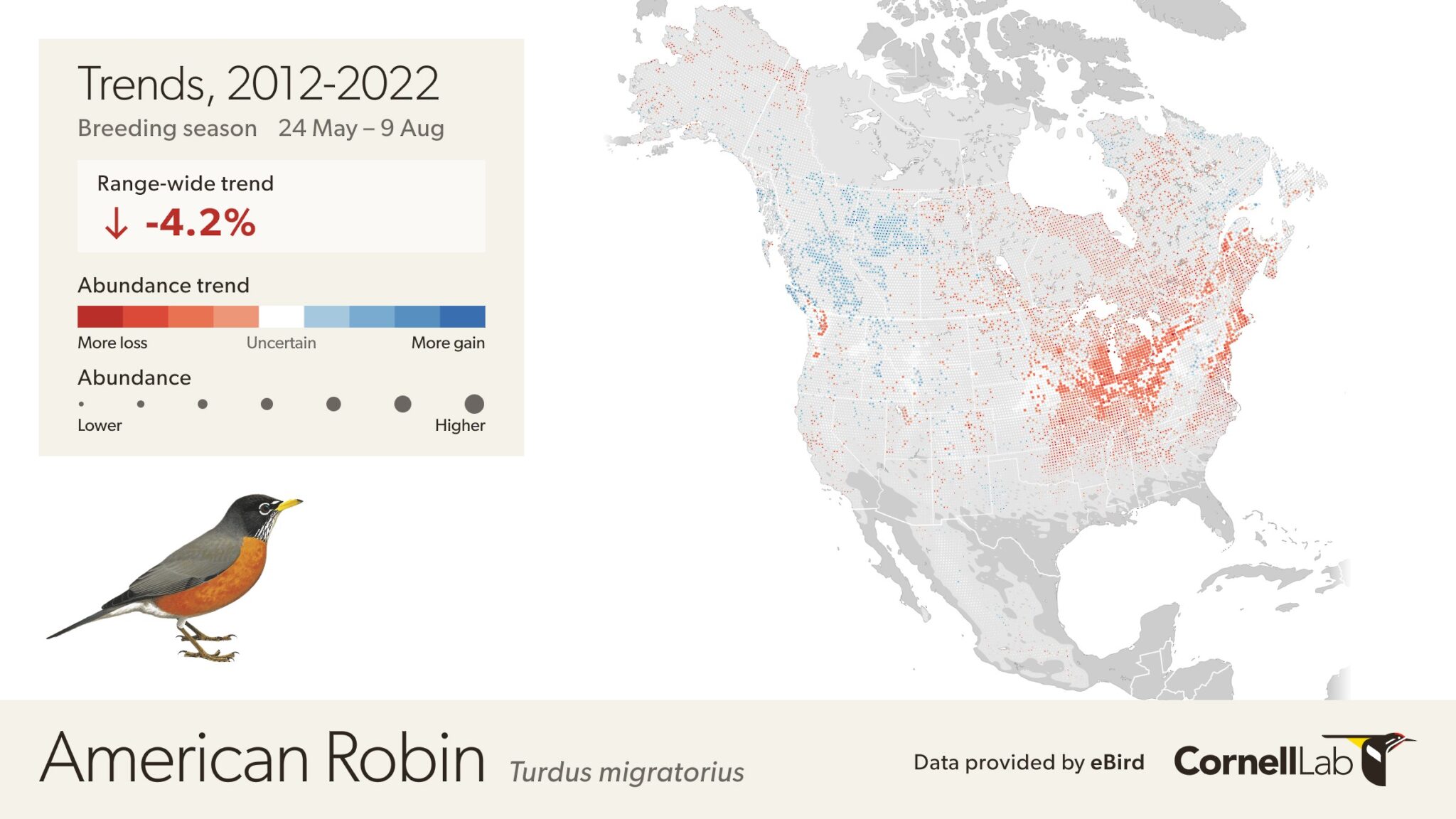
The eBird Science team relies on high-quality data to power analyses of bird distribution and abundance across the world, with products like Status and Trends informing decisions for government agencies, researchers, and international partner organizations.
Tracks = More Precise Data
In 2017, eBird introduced GPS tracks to the mobile app. Tracks allow birders to see the path they took while birding and automatically calculate the distance traveled. The eBird Science team values checklists with GPS tracks over user-estimated distances for more precise location information to use for scientific research.
Privacy note: GPS tracks are only visible to the owner of the checklist and anyone it is shared with, and researchers working on eBird Science products. They are not public.
⟡ Problem
Despite the importance of GPS tracks since their initial release, several issues impacted data quality and user experience:
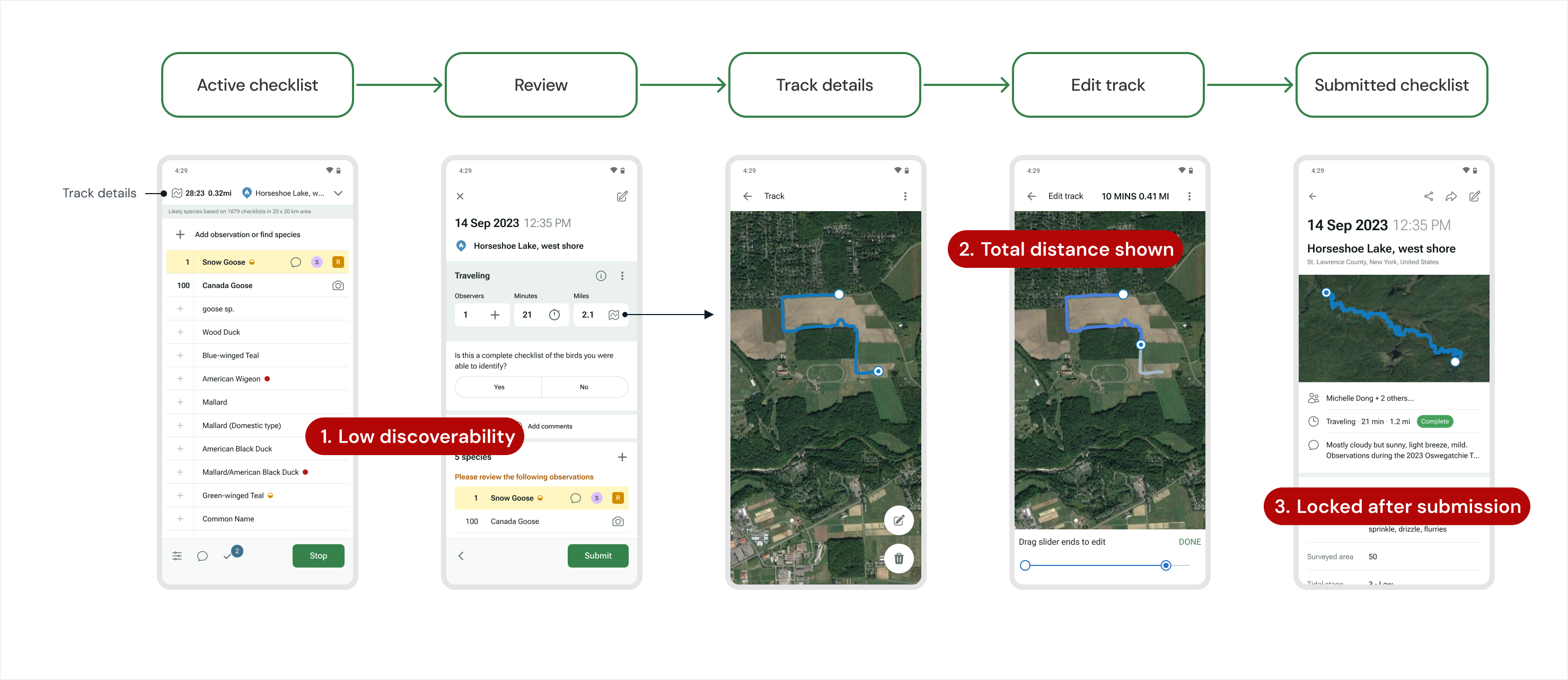
- Majority of users didn't know track editing existed at all
- Feature discoverable only to power users
- Best practice: "for out and back trips, only report the one-way distance"
- App behavior: app calculates and displays total round-trip distance
- Result: most users assumed app distance was correct, creating inconsistent data
- Tracks could only be deleted after checklist submission
- GPS wander and other inaccuracies couldn't be corrected
- Valuable distance data was lost when users deleted tracks
Designing for Trust and Consistency
Design Challenge
How might we make it easier for all eBirders to follow best practices while maintaining data consistency and improving data quality?
⟡ Shipping Under Real Constraints
Phase 1: Timestamped Tracks
Sep 2024 [Android + iOS]
- Update database to support timestamps → foundation for accurate track editing
- Increase track visibility
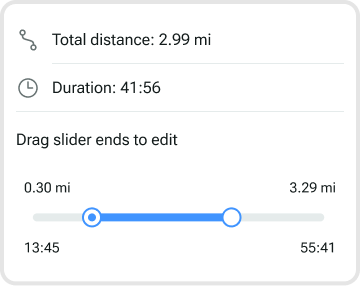
Phase 2: Post-submission Editing
Sep 2024 [Android] • May 2025 [iOS]
- Edit + delete tracks after submitting a checklist
- Support legacy checklists
iOS development delayed due to eBird Projects [released Mar 2025]
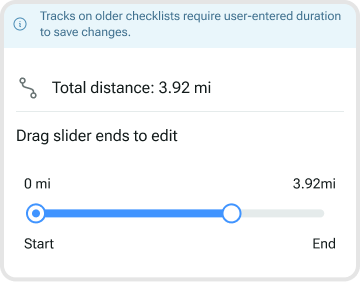
Usability Testing
Sep 2024
Can casual eBird users discover and edit a track?
- Field testing using Android P2 + iOS P1 beta
- 100% discovery rate, 75% successfully edited track
→ Should we lock duration in Phase 3?
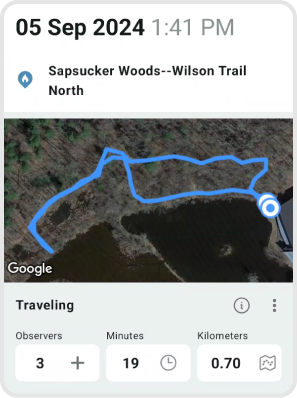
Phase 3: Unique Distance
June 2025 [Android + iOS]
- Prioritize unique distance, and show total distance as secondary information
- Lock manual distance and duration editing → tracks become the source of truth
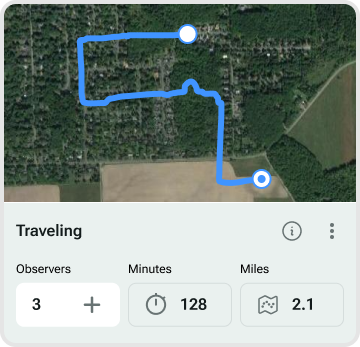
Design Process
Throughout the phased rollout, I collaborated with the project manager using wireframes to shape requirements from the start, iterated through multiple feedback rounds with eBird and Science stakeholders, facilitated in-person usability testing with Lab of Ornithology staff, and conducted design reviews to ensure alignment between specs and production builds.
⟡ Key Decisions
Increase Track Visibility
Context: Most users didn't know they could edit tracks before checklist submission. This led to inaccurate tracks being submitted, and users were only able to delete them - causing GPS data to be lost. How might we make it easier for tracks to be reviewed to improve data quality?
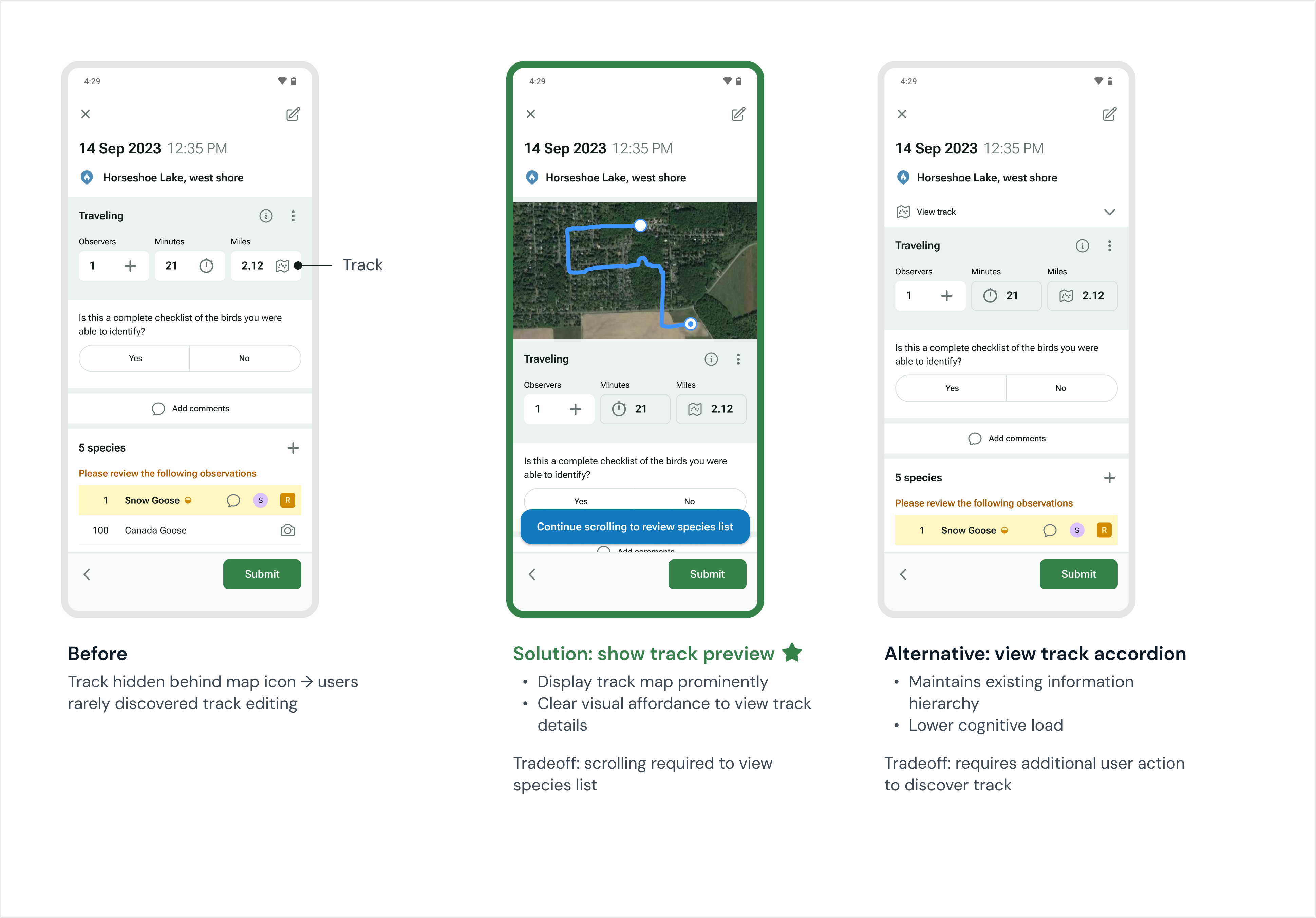
Solution: Display track preview on Review screen. Tap anywhere on track map to view details.
Rationale: The species list was pushed down, but the team decided showing the track before submission was more important for data quality. I added a scroll hint on checklists with track maps to mitigate species list discoverability issues.
Prioritize Unique Distance
Context: With timestamped tracks and a working algorithm for calculating unique distance in the app during an active checklist, we needed to decide which distance to display to users. The team was aligned on showing unique distance in the Checklist and Review screens, but it was trickier to decide if both distances needed to be shown in detailed track views.
To what extent do we show both distances?
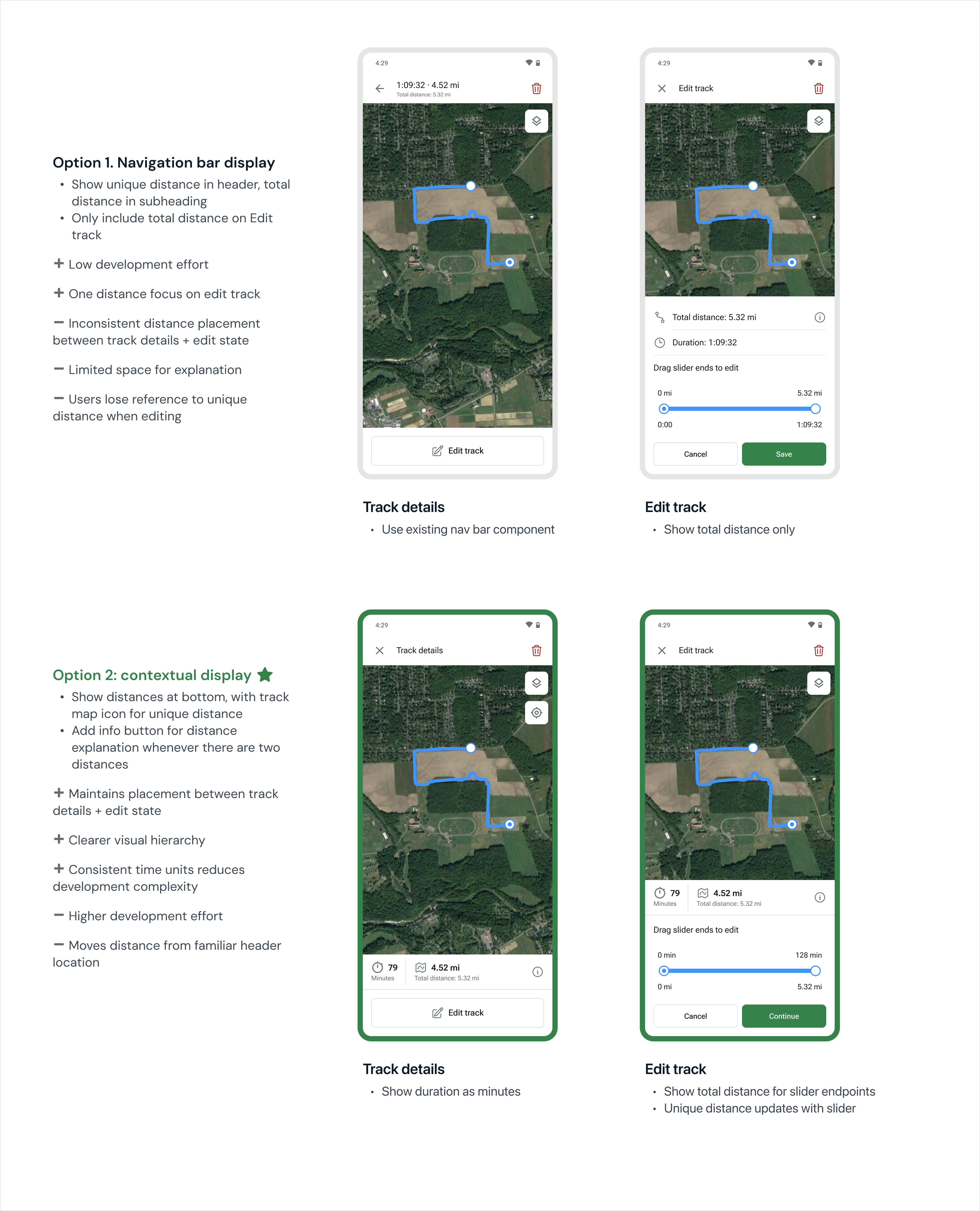
Solution:
- Use unique distance as primary value, total distance as secondary (eliminates technical jargon)
- Add info button explaining eBird distances for users who need it
- Consistent placement of distance and duration across track details and edit screens to reduce cognitive load and enable component reuse
Rationale: The final solution balanced transparency with guidance towards best practices. Most users didn't need to think about distance at all, but those who wanted to understand the difference, or had been manually editing distance, could easily learn more.
Lock Duration with Track
Context: With timestamped tracks, distance is tied to time. When you edit a track, you also edit the duration. The original requirements only specified locking distance, not time.
Usability testing insight: During the in-person usability testing I led, all users successfully discovered how to edit a track. However, the app crashed when a user set distance and duration to 0 on Review - they interpreted this as removing the track, rather than using the delete button.
This insight led me to advocate for also locking duration. If we're preventing manual distance editing to maintain data integrity, locking duration would reduce confusion and reinforce the connection between track, time, and distance. I explored different visual treatments for uneditable fields.
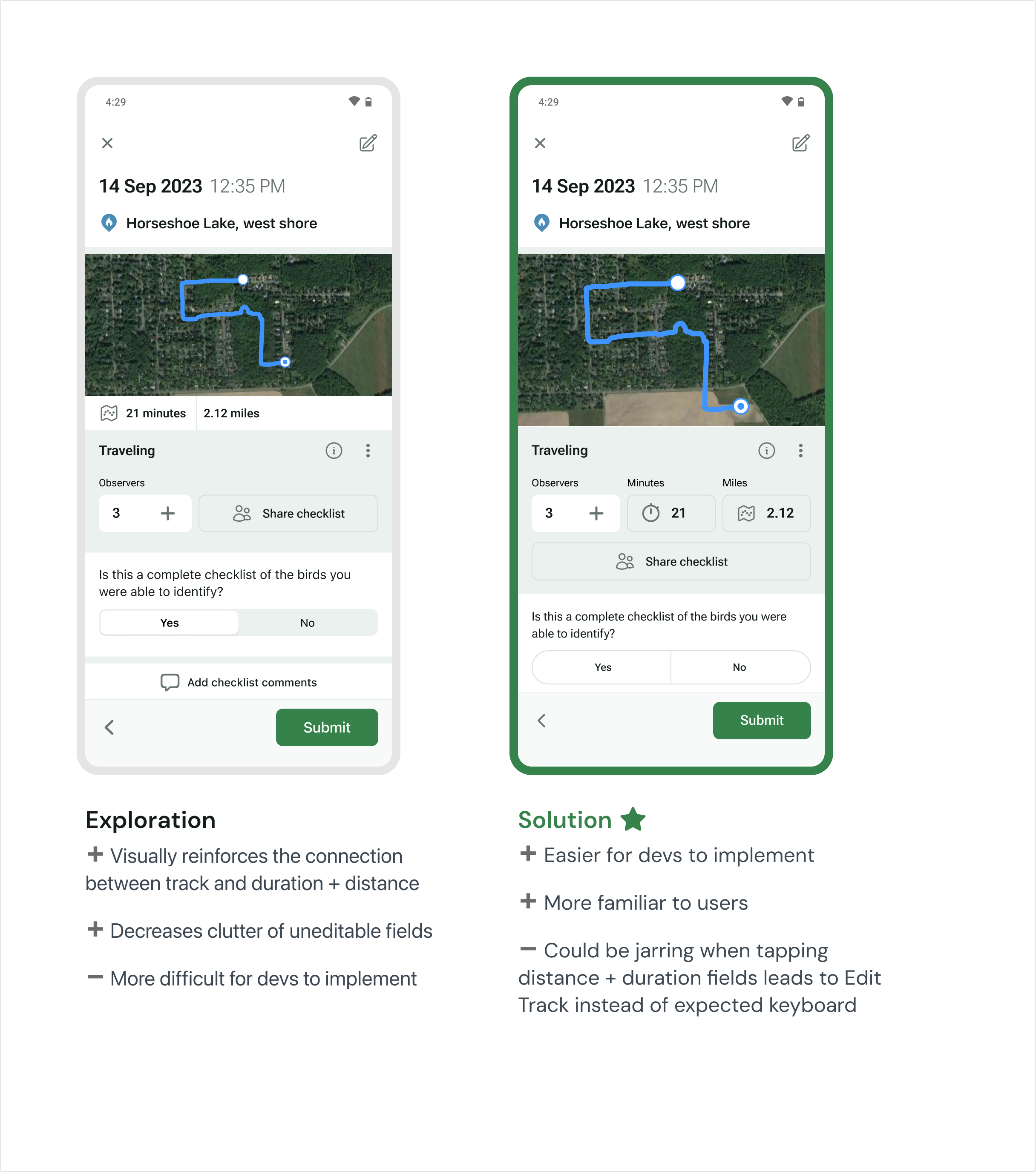
Solution: Lock both duration and distance for checklists with tracks using the existing Review effort fields.
Rationale:
- Maintains data integrity between interconnected values
- Reduced development complexity by leveraging existing design system components
- Preserved existing user mental models
⟡ Impact
Released to 130k monthly active users across Android and iOS in June 2025
- Improved data quality — App automatically implements best practice distance, making all new checklists with tracks more reliable for research
- Reduced data loss — Users can now correct inaccurate tracks after submission instead of deleting them
- Gained support for usability testing — Built a system for integrating user testing into product workflow on a lean team